If your smartphone has a cracked screen, weak battery, charging problem, damaged camera, water…
Read More

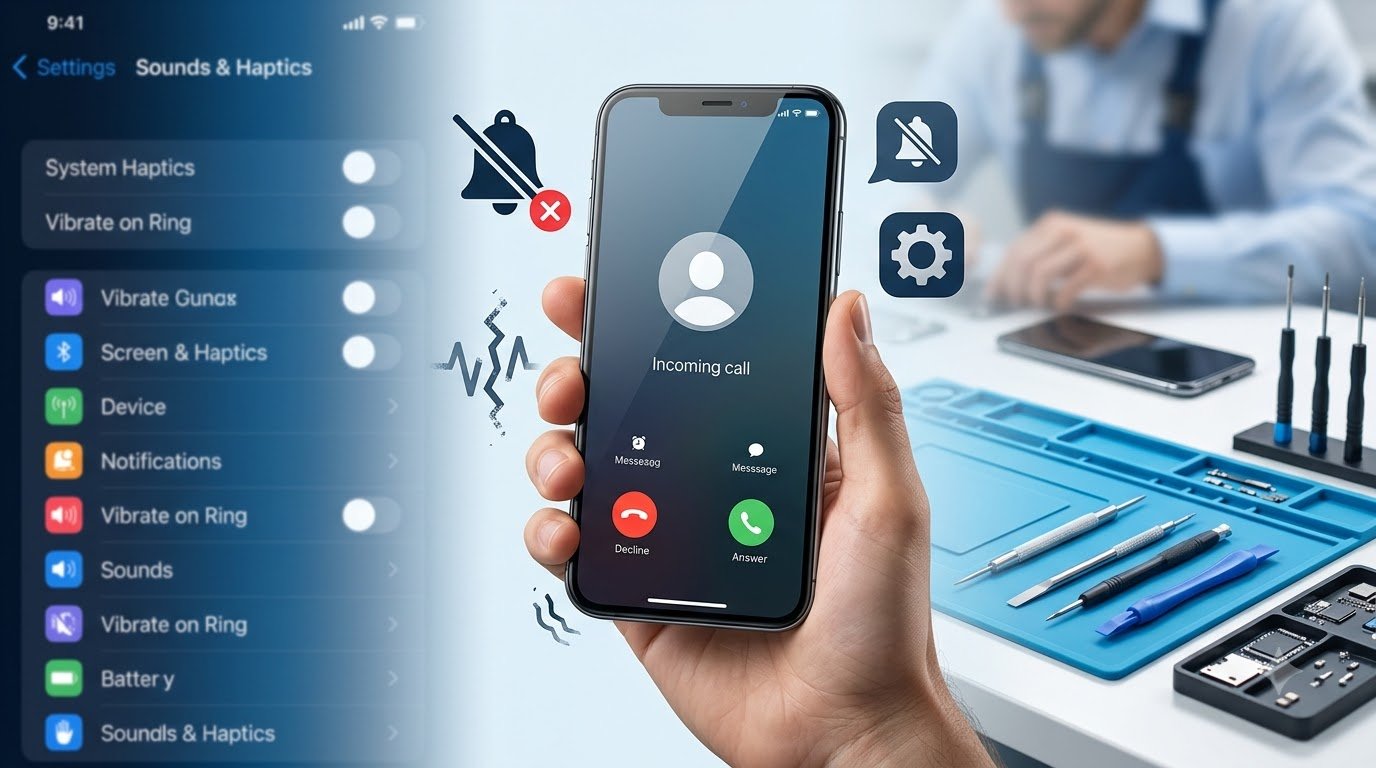
A smartphone’s vibration feature is useful for calls, notifications, alarms, keyboard feedback, and other alerts. When phone vibration is not working, it can be difficult to notice calls or messages, especially when your phone is on silent.
The good news is that vibration problems do not always mean the phone’s hardware is damaged. A disabled setting, Do Not Disturb mode, app notification configuration, battery-saving feature, or temporary software glitch can also cause the problem.
In this guide, we’ll explain why your phone may not be vibrating, how to troubleshoot the issue on Android and iPhone, how to identify possible hardware problems, and when professional phone repair may be necessary.
Why Is My Phone Vibration Not Working?
There can be several reasons why a smartphone stops vibrating. The exact cause depends on the device model, operating system, settings, and whether the problem affects all vibration functions or only certain alerts.
Common causes include:
- Vibration being disabled in system settings
- Silent Mode or Do Not Disturb/Focus settings
- Disabled haptic feedback
- App-specific notification settings
- Battery Saver or power-saving restrictions
- Temporary software glitches
- An outdated operating system
- Third-party applications interfering with notifications
- Accessibility settings
- Physical impact or accidental drops
- Liquid exposure
- A damaged vibration motor or haptic engine
- Internal component or connector damage
If your phone stopped vibrating suddenly without any physical damage, checking the software and notification settings should generally be the first step.
Quick Things to Check First
Before trying advanced troubleshooting, check these simple possibilities.
1. Restart Your Phone
A temporary software issue can sometimes affect vibration or notification services. Restart the smartphone and test vibration again.
2. Check Vibration Settings
Open your phone’s Sound & Vibration, Sounds & Haptics, or similarly named settings and make sure vibration is enabled.
Some phones also allow you to adjust vibration intensity.
3. Check Silent Mode
Depending on the device, Silent Mode can change how calls and notifications behave. Check whether your phone is configured to vibrate while silent.
4. Check Do Not Disturb or Focus
Do Not Disturb on Android and Focus on iPhone can restrict calls and notifications. Review the relevant settings if vibration is missing only for certain alerts.
5. Check Notification Settings
If the phone vibrates for calls but not notifications, an individual app may have vibration disabled.
6. Check Haptic Feedback
If keyboard or touch vibration has stopped, look for Haptic Feedback, System Haptics, or similar settings.
7. Test Another Feature
Try an incoming call, alarm, notification, or keyboard vibration. Testing multiple features can help determine whether the problem affects the entire vibration system.
How to Fix Phone Vibration Not Working
If the basic checks did not solve the problem, work through the following solutions.
Check Vibration Settings
Start by reviewing the phone’s vibration configuration.
On Android, the relevant settings may appear under:
Settings → Sound & vibration
Depending on the manufacturer, you may find options for:
- Call vibration
- Notification vibration
- Touch feedback
- Vibration intensity
- Keyboard vibration
- System vibration
On an iPhone, vibration-related options are generally found under:
Settings → Sounds & Haptics
The exact options can vary depending on the iPhone model and iOS version.
If vibration is disabled, enable it and test the phone again.
Turn Off Do Not Disturb or Focus Mode
Do Not Disturb and Focus features can control how calls and notifications are delivered.
If your phone is not vibrating for incoming calls or notifications, temporarily disable these modes and perform another test.
If vibration returns, review the mode’s settings instead of permanently disabling it. You may be able to allow important contacts or applications while keeping the mode enabled.
Check Notification Vibration
Sometimes the phone’s main vibration function works correctly while a particular application has vibration disabled.
For example, you may receive messages without vibration while calls still vibrate.
Check the notification settings for the affected application. Look for notification categories, alert settings, sound, or vibration options.
This is particularly useful if vibration is not working for notifications but works elsewhere.
Restart Your Smartphone
Restarting is one of the simplest troubleshooting steps for a phone vibration problem.
A temporary operating system or background-service issue may prevent certain haptic or notification functions from working correctly.
After restarting, test:
- An incoming call
- A notification
- Keyboard vibration
- Touch feedback
- An alarm
If only one function remains affected, investigate that feature’s settings rather than assuming the vibration hardware has failed.
Check Battery Saver Settings
Battery-saving modes can restrict background activity and certain device functions.
If vibration stopped while an aggressive power-saving mode was enabled, temporarily disable the mode and test the phone.
The exact behavior depends on the smartphone manufacturer and operating system.
Update the Operating System
Software updates can contain fixes for bugs affecting system functions.
Check whether an Android or iOS update is available for your device. Before installing an update, make sure the phone has sufficient battery and, where appropriate, a recent backup.
After updating, test the vibration functions again.
Test Different Types of Vibration
Testing different features can help narrow down the cause.
Try:
- Incoming calls
- Text or app notifications
- Alarm
- Keyboard haptics
- Touch feedback
- System vibration
If keyboard haptics work but calls do not vibrate, the problem may be related to call settings rather than the physical vibration component.
If nothing vibrates at all, hardware failure becomes more likely, particularly when the problem started after physical or liquid damage.
Android Phone Vibration Not Working
Android phones from Samsung, Google Pixel, Xiaomi, OnePlus, Motorola, Oppo, Vivo, Realme, and other manufacturers can use different menus and settings.
For general troubleshooting, try the following:
- Open Settings.
- Go to Sound & vibration or a similarly named section.
- Check vibration intensity.
- Make sure call and notification vibration are enabled.
- Check keyboard and touch haptic settings.
- Review Do Not Disturb settings.
- Check notification settings for affected apps.
- Review accessibility settings if relevant.
- Restart the device.
- Install available system updates.
If your Android phone vibration is not working after these steps, test several different vibration functions.
If none of them work, particularly after a drop or liquid exposure, professional inspection may be appropriate.
iPhone Vibration Not Working
If your iPhone vibration is not working, begin by checking its sound, haptic, Focus, and accessibility-related settings.
Depending on your iPhone model and iOS version, review:
- Settings → Sounds & Haptics
- Haptic-related options
- Silent Mode behavior
- Focus settings
- Keyboard haptics
- Accessibility settings
- Available iOS updates
Also restart the iPhone and test several functions.
Because Apple changes some settings between iOS versions and device generations, the exact names and locations of options may differ.
If the iPhone does not vibrate anywhere and software troubleshooting does not help, the haptic hardware may require professional inspection.
Phone Vibrates for Some Things but Not Others
A phone that vibrates for some functions but not others does not necessarily have a failed vibration motor.
For example:
| Situation | What It May Indicate |
|---|---|
| Calls vibrate but notifications do not | App or notification settings |
| Notifications vibrate but keyboard does not | Keyboard or haptic setting |
| Keyboard works but calls do not | Call vibration configuration |
| Alarm vibrates but apps do not | Application notification settings |
| Nothing vibrates | System setting, software issue, or hardware problem |
This type of testing is useful because it can help separate a feature-specific configuration problem from a problem affecting the phone’s entire vibration system.
How to Test If the Vibration Motor Is Working
You do not need to open the smartphone to perform basic vibration testing.
Try several safe tests:
Incoming Call
Ask someone to call your phone and check whether it vibrates.
Notification
Send yourself a message or trigger a notification from an application with vibration enabled.
Alarm
Set an alarm and check whether vibration occurs when it activates.
Keyboard Haptics
If keyboard vibration is enabled, type something and check whether you feel haptic feedback.
System Vibration
Use the phone’s sound and vibration settings to test available haptic options.
If several unrelated vibration functions work, the vibration hardware is probably at least functioning in some capacity.
If all vibration-related functions fail, especially after a drop, liquid exposure, or repair, a hardware problem becomes more likely.
Hardware Causes of Phone Vibration Problems
When software troubleshooting does not restore vibration, the problem may involve physical components.
Possible hardware causes include:
- Damaged vibration motor
- Failed haptic engine
- Physical impact
- Liquid damage
- Internal connector problems
- Component damage from a previous repair
- General hardware wear
Different smartphones use different vibration technologies and component designs. For example, some devices use a conventional vibration motor while others use more advanced haptic hardware.
A technician generally needs to inspect the specific device to determine which component is responsible.
Do not assume that a vibration failure automatically means the vibration motor needs replacement. A professional diagnosis can help identify the actual cause.
When Should You Get Your Phone Repaired?
Professional inspection may be appropriate when:
- Vibration completely stopped after a drop.
- The phone was exposed to water or another liquid.
- Vibration stopped after a screen, battery, or other repair.
- The phone produces unusual mechanical sounds.
- Other hardware functions are also behaving abnormally.
- Software troubleshooting has not restored vibration.
- Vibration works intermittently without an obvious settings problem.
If the device has suffered liquid exposure, avoid continuing to use it if doing so could create a safety risk. Professional assessment can help determine whether additional internal damage exists.
Can a Phone Vibration Motor Be Repaired or Replaced?
In some smartphones, the vibration motor or haptic component can be repaired or replaced. However, the available repair method depends heavily on the device design.
Important factors include:
- Smartphone model
- Type of vibration component
- Availability of replacement parts
- Extent of physical damage
- Liquid exposure
- Required labor
- Manufacturer repair design
- Availability of qualified technicians
Some devices are easier to service than others. A repair technician should inspect the phone before confirming which component needs attention.
How Much Does Phone Vibration Repair Cost?
There is no single price for phone vibration repair because the cost depends on the specific device and damage.
Factors that can affect the final repair cost include:
- Phone model
- Android or iPhone device
- Vibration motor or haptic component design
- Replacement-part availability
- Labor charges
- Additional internal damage
- Water or impact damage
- Authorized versus independent repair service
A technician should normally diagnose the issue before providing a repair estimate.
Be cautious of repair estimates that assume a specific failed component without inspecting the phone.
Preventing Future Vibration Problems
While hardware failures cannot always be prevented, good device care can reduce the risk of physical damage.
Follow these practical habits:
- Use a suitable protective case.
- Avoid dropping the phone.
- Keep the device away from water and excessive moisture.
- Do not attempt unauthorized internal repairs.
- Keep the operating system updated.
- Avoid suspicious applications.
- Handle charging accessories carefully.
- Have physical damage inspected promptly.
- Follow the manufacturer’s care recommendations.
Regular software updates and sensible physical protection can help prevent many common smartphone problems.
Phone Vibration Troubleshooting Table
| Problem | Possible Cause | What to Try |
|---|---|---|
| Phone never vibrates | Vibration disabled or system issue | Check vibration settings and restart |
| Calls don’t vibrate | Call vibration disabled | Check sound and call settings |
| Notifications don’t vibrate | App notification settings | Check notification settings |
| Keyboard doesn’t vibrate | Haptic feedback disabled | Check keyboard/system haptics |
| Vibration stopped after drop | Possible hardware damage | Professional inspection |
| Vibration stopped after water exposure | Possible liquid damage | Prioritize device safety and seek professional help |
| Vibration works occasionally | Software or hardware issue | Restart, update, and test different functions |
Safety: Avoid DIY Internal Repairs
A vibration component is located inside the smartphone and accessing it may require removing the display, back panel, battery, or other components depending on the device.
Do not open your phone or attempt to replace the vibration motor yourself unless you have the appropriate technical knowledge, tools, and repair experience.
Extra caution is necessary if the phone has:
- Liquid damage
- A swollen battery
- Unusual heat
- Burning smells
- Smoke
- Physical deformation
In these situations, prioritize safety and seek professional assistance rather than attempting an internal repair.
Frequently Asked Questions
Why is my phone vibration not working?
Your phone may not vibrate because vibration is disabled, Do Not Disturb or Focus is affecting alerts, an app’s notification settings have changed, or the device has a software or hardware problem.
How do I fix a phone that is not vibrating?
Start by checking vibration and haptic settings, Do Not Disturb or Focus, app notifications, and battery-saving options. Restart the phone and install available system updates. If all vibration functions remain unavailable, professional inspection may be needed.
Why does my phone vibrate for calls but not notifications?
Call vibration and app notification vibration can have separate settings. Check the affected application’s notification settings and make sure vibration is enabled for its notification category.
Why is my Android phone vibration not working?
Check Sound & vibration, vibration intensity, notification settings, haptic feedback, Do Not Disturb, and accessibility settings. Menu names vary between Android manufacturers and operating system versions.
Why is my iPhone vibration not working?
Check Sounds & Haptics, haptic settings, Silent Mode behavior, Focus, accessibility settings, and available iOS updates. Restart the iPhone and test multiple vibration functions.
How do I test my phone’s vibration motor?
Test an incoming call, notification, alarm, keyboard haptics, and system vibration. If none of these functions produce vibration, a hardware issue may be possible.
Can a phone vibration motor be replaced?
Depending on the smartphone design, the vibration motor or haptic component may be replaceable. The exact repair method depends on the model, component availability, and extent of damage.
How much does phone vibration repair cost?
Repair costs vary according to the phone model, failed component, replacement-part availability, labor, and any additional damage. A technician should inspect the device before giving an accurate estimate.
Conclusion
A phone vibration not working problem does not always mean that the vibration motor has failed. Settings, notification configurations, Do Not Disturb or Focus, battery-saving features, and temporary software problems can all affect vibration.
Start with safe troubleshooting: check vibration settings, review notifications, restart the phone, test different vibration functions, and install available system updates.
If vibration completely stops after a drop or liquid exposure, or if none of the software troubleshooting steps work, a hardware issue may be involved. In that situation, professional inspection is safer than opening the phone or attempting an internal repair yourself.
For more smartphone troubleshooting guides, maintenance advice, and practical technology tips, explore other helpful articles on Galaxmial.com.
Mobile Repairing Shop
HCB lithium battery
Lithium batteries are increasingly used in factories, warehouses, renewable energy systems, industrial vehicles, backup…
Read More
Uncategorized
Not every smartphone problem means you need to visit a repair shop. Many common…
Read More