If your smartphone has a cracked screen, weak battery, charging problem, damaged camera, water…
Read More

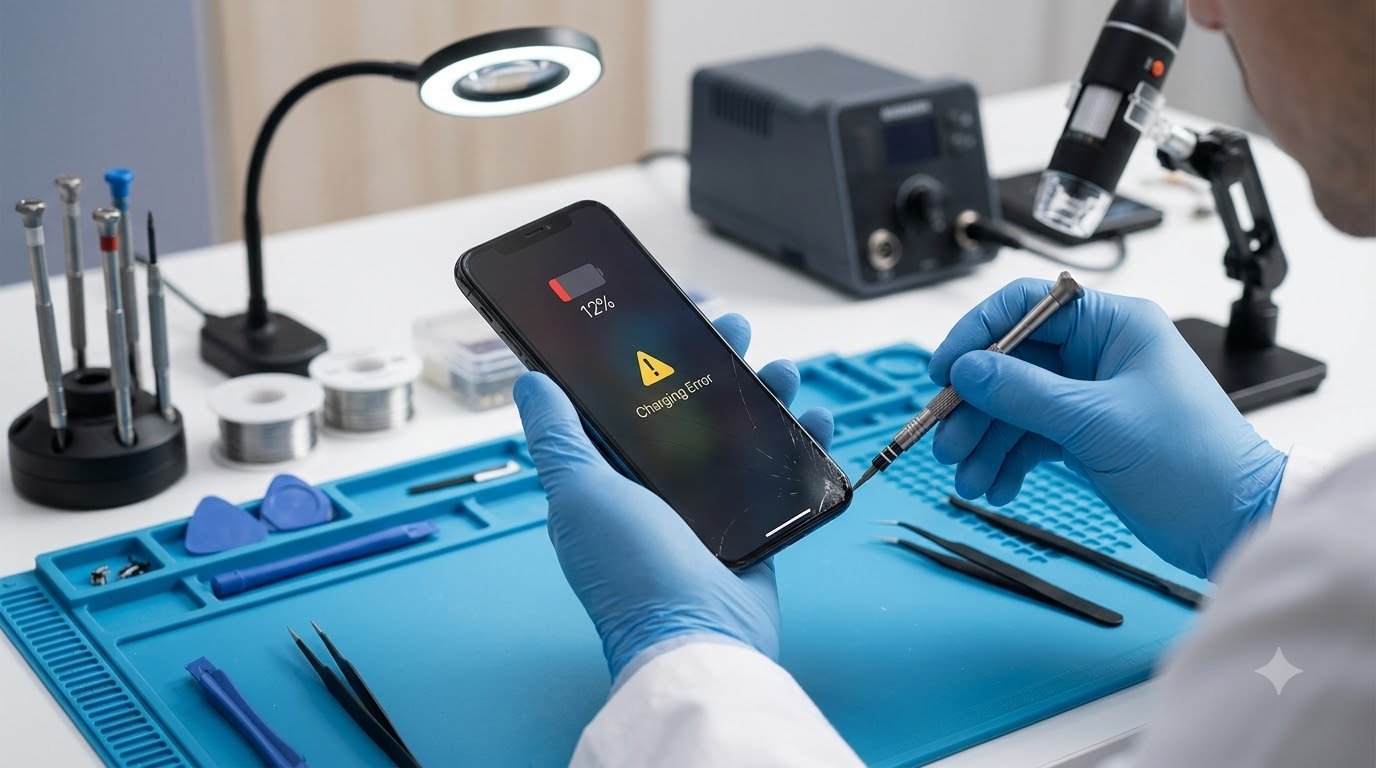
Not every smartphone problem means you need to visit a repair shop. Many common issues, such as temporary software glitches, full storage, app crashes, or connection problems, can often be resolved with simple troubleshooting.
However, some symptoms indicate that your phone needs repair, especially when the problem involves physical damage, the battery, charging hardware, liquid exposure, or repeated system failures.
Knowing the difference between a minor software issue and a potential hardware problem can help you avoid unnecessary repairs while also preventing further damage. This guide explains the most common phone repair signs, what you can safely try yourself, and when professional smartphone repair may be appropriate.
When Can You Fix a Phone Yourself?
Before seeking professional phone repair, there are several basic troubleshooting steps you can safely try. The appropriate steps depend on your phone model and whether you use Android or iPhone.
Common problems that may be resolved without a repair include:
- Temporary software glitches
- Apps that repeatedly crash
- Bluetooth connection problems
- Wi-Fi configuration issues
- Incorrect notification settings
- Low storage
- Software update problems
- Basic charging accessory issues
- Temporary performance slowdowns
For example, if an app suddenly stops working, restarting the phone, updating the app, or installing a system update may solve the problem.
Similarly, if your phone is not charging, checking the power adapter, cable, and power source should usually be among the first troubleshooting steps.
The important point is to avoid assuming that every symptom is a hardware failure. Software problems can sometimes produce symptoms that look like hardware problems.
Signs Your Phone Needs Professional Repair
Some symptoms are more likely to require professional diagnosis, particularly when basic troubleshooting does not resolve the problem.
The Phone Will Not Turn On
A phone that refuses to turn on can have several possible causes, including:
- A completely depleted or degraded battery
- Charging problems
- Software failure
- Power-button problems
- Internal hardware failure
Start by connecting the phone to a known-compatible charger and power source. Give it some time to charge, then try the appropriate restart procedure for your device.
If the phone still shows no response, repeatedly shuts down during startup, or previously suffered physical or liquid damage, professional inspection may be appropriate.
Avoid repeatedly forcing a damaged device to power on if it becomes unusually hot or shows other signs of electrical problems.
Battery Drains Extremely Quickly
Battery drain can result from software activity, demanding applications, poor network conditions, background processes, or normal battery degradation.
Possible warning signs include:
- Battery percentage falling unusually quickly
- Unexpected shutdowns
- Battery percentage behaving inconsistently
- The phone becoming unusually hot
- Battery performance changing significantly over time
- Visible battery swelling
Some battery deterioration is normal as a phone ages. However, a swollen, leaking, or physically damaged battery is a safety concern.
Never puncture, squeeze, open, or attempt to repair a swollen battery yourself. Stop using the device if it is unsafe to handle and seek appropriate professional assistance.
Phone Is Overheating Frequently
Smartphones can become warm during demanding tasks such as gaming, video recording, navigation, or charging. Temporary warmth does not necessarily indicate a hardware problem.
Persistent or unusually intense heat can have other causes, including:
- Heavy applications
- Background processes
- Charging conditions
- Hot environments
- Battery problems
- Hardware faults
First, stop demanding applications and move the phone away from direct heat. Check whether the problem occurs only during charging or under particular workloads.
If the phone repeatedly becomes extremely hot during ordinary use, shuts down because of temperature, or becomes hot without an obvious reason, professional inspection may be necessary.
Phone Is Not Charging Properly
Charging problems are among the most common smartphone hardware issues.
Potential causes include:
- Damaged charging cable
- Faulty power adapter
- Damaged power source
- Debris in the charging port
- Software problems
- Damaged charging port
- Battery degradation
- Internal hardware failure
Start by testing a known-compatible charger and cable and checking another suitable power source.
Do not insert needles, pins, knives, or other sharp or metallic objects into the charging port. Doing so can damage contacts or create an electrical hazard.
If the phone only charges when the cable is held at a particular angle, repeatedly disconnects, or does not charge with known-good accessories, the charging port or another hardware component may need professional inspection.
Screen Is Cracked or Touch Is Not Working
A cracked display can range from cosmetic damage to a serious functional problem.
Watch for symptoms such as:
- Cracked glass
- Black areas on the display
- Dead pixels
- Screen flickering
- Display discoloration
- Ghost touches
- Partial touch failure
- Completely unresponsive touch
External glass damage does not always tell you how much internal damage has occurred. A phone may continue working normally after a minor crack, while another device may develop display or touch problems after similar-looking damage.
If the display is severely damaged or touch functionality is unreliable, professional screen repair may be required.
Before handing over a damaged phone, back up important data whenever the device is still usable.
Phone Keeps Restarting or Shutting Down
Repeated restarts can be caused by software or hardware problems.
Possible causes include:
- Software bugs
- Recently installed applications
- Battery problems
- Overheating
- Insufficient storage
- System errors
- Hardware failure
Start by restarting the device, checking available storage, installing pending software updates, and removing recently installed applications that may be causing problems.
If the phone continues restarting even after basic troubleshooting, particularly during normal use or startup, a professional diagnosis can help determine whether the problem is software-related or hardware-related.
Speaker, Microphone, or Earpiece Stops Working
Audio problems can sometimes be caused by settings rather than hardware.
Check:
- Volume settings
- Silent or Do Not Disturb settings
- Bluetooth connections
- Audio output selection
- Another application
- Whether the microphone works during another type of call or recording
Also check whether the speaker or microphone appears visibly blocked, but avoid inserting objects into openings.
Professional inspection may be appropriate if the speaker produces distorted sound, the microphone consistently fails, the earpiece does not work, or the problem remains after basic troubleshooting.
Camera Suddenly Stops Working
A camera problem does not automatically mean the camera module is damaged.
Possible causes include:
- Camera application errors
- Software bugs
- Storage problems
- Permission settings
- Physical camera damage
- Internal hardware failure
Try restarting the phone, checking camera permissions, installing available software updates, and testing whether another camera-related application behaves differently.
If the camera remains completely unusable, produces abnormal images after physical damage, or shows a persistent hardware-related error, professional smartphone repair may be appropriate.
Phone Has Persistent Network or Signal Problems
Network problems can originate from the carrier, SIM card, phone settings, software, or device hardware.
Common symptoms include:
- “No Service”
- Frequent signal loss
- SIM not detected
- Frequent dropped calls
- Mobile data not working
- Unstable cellular connectivity
Before seeking repair, check the SIM card, toggle Airplane Mode, review network settings, check local network coverage, and install available software updates.
If another compatible phone works normally with the same network and SIM while your phone consistently experiences the problem, professional inspection may help identify a device-related issue.
Phone Has Water or Liquid Damage
Liquid exposure should be treated carefully because damage may continue even when a phone initially appears to work.
If your phone gets wet:
- Stop unnecessary use.
- Disconnect charging if it is safe to do so.
- Keep it away from additional moisture.
- Do not deliberately heat the device.
- Do not open it unless you have the appropriate expertise.
- Seek professional inspection when appropriate.
Do not rely on putting a wet phone in rice as a guaranteed repair method. It does not reverse internal liquid damage.
Liquid can affect connectors, batteries, displays, cameras, and other internal components. Professional inspection may help determine the extent of the damage.
Hardware Problems That Usually Require Professional Repair
Some problems are difficult or unsafe to resolve without the appropriate tools and technical experience.
Examples include:
- Damaged charging ports
- Failed or damaged batteries
- Broken displays
- Faulty vibration motors
- Damaged camera modules
- Speaker or microphone hardware failures
- Internal connector problems
- Antenna-related problems
- Liquid damage
- Motherboard or logic-board faults
The exact repair depends on the phone model, component design, type of damage, and availability of replacement parts.
A symptom alone is not enough to determine which component has failed. A qualified technician may need to inspect and test the device before identifying the appropriate repair.
DIY Phone Repair vs Professional Repair
| Situation | Basic Troubleshooting | Professional Repair |
|---|---|---|
| App keeps crashing | ✓ | Usually not initially |
| Phone storage is full | ✓ | Usually not required |
| Phone won’t charge | Check charger and cable first | If hardware issue is suspected |
| Cracked display | Limited troubleshooting | Usually required for functional damage |
| Swollen battery | Do not attempt repair | Professional inspection |
| Liquid damage | Basic safety steps | Professional inspection |
| Broken charging port | Limited troubleshooting | Usually required |
| Phone repeatedly shuts down | Basic troubleshooting | If the problem persists |
The purpose of troubleshooting is to safely identify whether the problem is likely temporary or whether further inspection is needed. It should not involve opening hazardous components or attempting repairs without the appropriate knowledge and tools.
How to Troubleshoot Before Visiting a Repair Professional
Before taking your phone for repair, you can work through a basic checklist:
- Restart the phone. Temporary software problems can sometimes disappear after a restart.
- Install available software updates. Updates may resolve known bugs.
- Check relevant settings. Review network, Bluetooth, sound, battery, and application settings depending on the problem.
- Test another compatible charger or cable. This can help identify accessory-related charging problems.
- Remove recently installed problematic applications. A newly installed app can sometimes cause crashes or instability.
- Check available storage. Extremely limited storage can contribute to performance and application problems.
- Back up important data. Do this before repair whenever possible.
- Record the symptoms. Note when the problem occurs and what happens immediately before it.
Writing down error messages or recording a short video of an intermittent problem can also help a repair professional understand what is happening.
How to Prepare Your Phone Before Repair
If professional repair is necessary, preparation can protect both your data and your time.
Before handing over the device:
- Back up important photos, documents, contacts, and other data.
- Sync important information where appropriate.
- Note the exact symptoms.
- Record error messages.
- Keep relevant purchase or previous repair information.
- Ask about the expected repair process.
- Ask how your personal data will be handled.
- Ask whether diagnostic testing requires access to any specific device functions.
Do not provide passwords unnecessarily. If a technician genuinely needs access to test a feature, ask what access is required and why.
If possible, remove sensitive information before repair while ensuring that necessary information remains backed up.
Should You Repair or Replace Your Phone?
The decision between phone repair vs replacement depends on the specific device and problem.
Consider factors such as:
- Age of the phone
- Type of damage
- Estimated repair cost
- Availability of replacement parts
- Remaining software update support
- Battery condition
- Overall device condition
- Importance of the device
- Cost of a comparable replacement
For example, a relatively new phone with a single damaged component may be a different situation from an older phone that has multiple hardware problems.
There is no universal rule that says repairing or replacing a phone is always the better option. Compare the condition of the device, expected repair requirements, available support, and replacement alternatives before making a decision.
How to Choose a Phone Repair Professional
When looking for a professional phone repair service, consider several practical factors.
Relevant Experience
Ask whether the technician has experience working with your specific phone model or type of problem.
Clear Diagnosis
A repair professional should be able to explain what they believe is causing the problem and what needs to be inspected or replaced.
Transparent Pricing
Ask for an estimate and clarify whether diagnostic charges, parts, and labor are included.
Repair or Warranty Terms
Understand what warranty or repair guarantee terms apply to the work and replacement component.
Replacement Parts
Ask what type of replacement component will be used and whether it is compatible with your device.
Data Privacy
Ask how personal information stored on the phone will be handled during diagnostics and repair.
Written Repair Details
A written record of the reported problem, proposed repair, and relevant terms can make the process clearer.
You can also consider customer reviews, but reviews should be treated as one factor rather than the only basis for choosing a repair professional.
For some repairs, ask whether the work could affect water resistance, device functionality, or manufacturer support.
Warning Signs That Require Immediate Attention
Some phone problems should be treated primarily as safety issues rather than ordinary troubleshooting problems.
Pay particular attention to:
- Swollen battery
- Burning smell
- Smoke
- Sparks
- Extreme or unexplained heat
- Severely damaged battery
- Significant liquid exposure
- Unusual electrical behavior
If you notice these symptoms, stop unnecessary use and avoid opening or attempting to repair the device yourself.
A damaged battery or electrical component can present risks beyond simply making the phone unusable. Prioritize personal safety and seek appropriate professional assistance.
How to Prevent Major Phone Repairs
Good smartphone maintenance can reduce the chance of avoidable damage.
Use a Protective Case
A suitable case can provide additional protection against everyday drops and impacts.
Use Compatible Charging Accessories
Use chargers and cables appropriate for your device and avoid visibly damaged accessories.
Keep the Phone Away From Liquids
Even phones with water-resistance ratings have limitations. Avoid deliberately exposing your device to water or other liquids.
Keep Software Updated
System and application updates can include bug fixes, security improvements, and compatibility changes.
Avoid Extreme Temperatures
Excessive heat or cold can affect battery performance and device operation.
Keep Storage Reasonably Available
Regularly remove unnecessary files and applications to maintain available storage.
Back Up Important Data
A backup can reduce the impact of device failure, accidental damage, or a repair that requires data-related procedures.
Handle Charging Ports Carefully
Do not force charging connectors or insert sharp objects into the port.
Avoid Unauthorized Modifications
Unapproved modifications can introduce additional risks, particularly when they involve batteries, charging systems, or internal hardware.
Troubleshooting & Repair Table
| Phone Problem | Possible Cause | First Step | Professional Repair? |
|---|---|---|---|
| Phone won’t turn on | Battery/software/hardware | Check charging and restart | If unresolved |
| Battery drains fast | Battery/software | Check battery usage | If battery is degraded |
| Phone overheats | Apps/charging/battery | Stop heavy use and check conditions | If persistent |
| Phone won’t charge | Charger/port/battery | Test compatible charger | If unresolved |
| Screen is broken | Physical damage | Protect device and back up data | Usually |
| Touch doesn’t work | Display/software | Restart and test | If persistent |
| Phone has no signal | Network/SIM/hardware | Check SIM and network settings | If unresolved |
| Water damage | Liquid exposure | Stop unsafe use/charging | Professional inspection |
Frequently Asked Questions
1. How do I know if my phone needs professional repair?
Persistent problems, physical damage, charging failures, battery swelling, liquid exposure, repeated shutdowns, or hardware symptoms that remain after basic troubleshooting can indicate that professional inspection is appropriate.
2. What phone problems can I fix myself?
You can often troubleshoot issues such as temporary software glitches, app crashes, storage problems, basic Bluetooth or Wi-Fi configuration issues, and some charging accessory problems.
3. When should I take my phone to a repair shop?
Consider professional repair when basic troubleshooting does not resolve the problem or when the phone has physical damage, battery problems, liquid exposure, charging-port damage, or persistent hardware symptoms.
4. Is a cracked phone screen worth repairing?
It depends on the extent of the damage, the phone’s age and condition, the repair cost, and the cost of a suitable replacement. A technician can assess whether the display or other components are affected.
5. Should I repair a phone with a swollen battery?
Do not attempt to open, puncture, squeeze, or replace a swollen battery yourself. Prioritize safety and seek appropriate professional assistance.
6. Can a phone be repaired after water damage?
Sometimes, but the outcome depends on the type and extent of liquid exposure and the affected components. Professional inspection can help determine the condition of the device.
7. Why does my phone keep restarting?
Repeated restarts can result from software bugs, problematic applications, overheating, storage problems, battery issues, or hardware faults. Basic troubleshooting can help determine whether the issue persists.
8. When should I replace my phone instead of repairing it?
Consider the phone’s age, repair cost, availability of parts, software support, battery condition, overall damage, and the cost of a comparable replacement. There is no single rule that applies to every phone.
9. How can I prepare my phone for professional repair?
Back up important data, record the symptoms and error messages, note previous repairs, and ask about repair procedures and data privacy before handing over the device.
10. Can professional phone repair affect my data?
Some repairs may require procedures that can affect stored data, depending on the problem and device. Always back up important information before repair whenever possible and ask the repair professional about data handling.
Conclusion
Knowing when your phone needs professional repair can help you avoid unnecessary troubleshooting while also preventing potentially unsafe DIY repairs.
Minor problems such as app crashes, storage issues, temporary software glitches, or basic connection problems can often be addressed with simple troubleshooting. However, persistent charging failures, damaged displays, swollen batteries, liquid exposure, repeated shutdowns, overheating, and other hardware symptoms may require professional inspection.
Before seeking repair, try safe troubleshooting steps when appropriate, back up important data, and document the symptoms. If the problem involves a damaged battery, smoke, sparks, extreme heat, or other electrical warning signs, prioritize safety instead of attempting a DIY repair.
For more practical smartphone troubleshooting, maintenance advice, and technology guidance, Galaxmial.com can help you understand common phone problems and make informed decisions about your device.
Mobile Repairing Shop

HCB lithium battery
Lithium batteries are increasingly used in factories, warehouses, renewable energy systems, industrial vehicles, backup…
Read More

Mobile problems
A mobile signal problem can make everyday phone use frustrating. Weak signal may cause…
Read More