Have you ever made a phone call and heard the other person say, “Your…
Read More

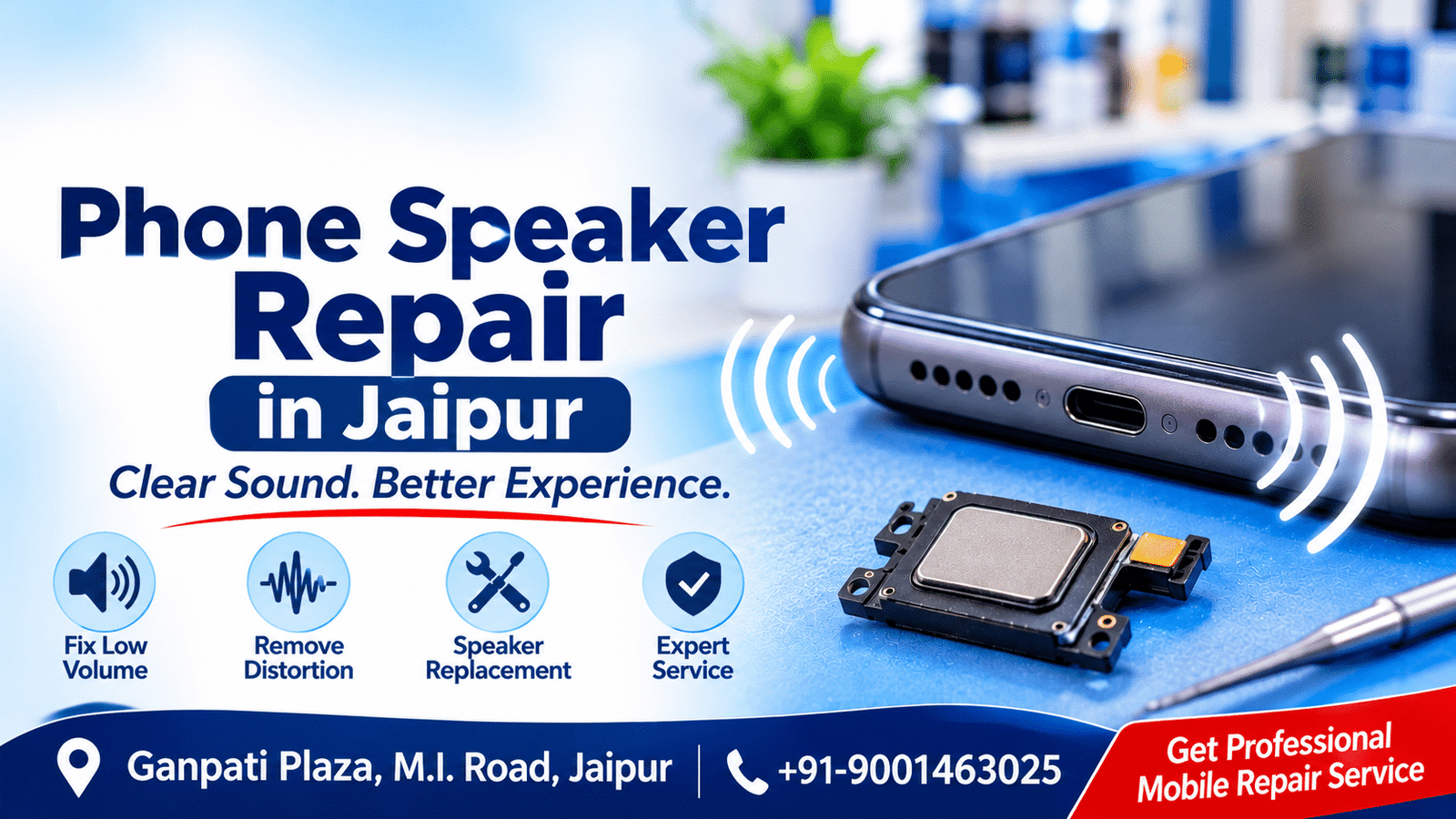
A smartphone speaker is one of those components we rarely think about until it stops working properly. You may notice that your favourite song sounds unusually quiet, the other person’s voice becomes difficult to hear during a call, or your phone starts producing a crackling noise whenever you play a video.
These problems can be frustrating, especially when you depend on your phone for business calls, online meetings, navigation, entertainment, or daily communication.
If you are searching for phone speaker repair in Jaipur, understanding the possible causes of the problem can help you make a better repair decision. Not every sound issue requires a speaker replacement. Sometimes the problem comes from dust, incorrect settings, a software glitch, a damaged audio component, or another internal fault.
This guide explains common mobile speaker problems, safe troubleshooting methods, repair options, cost factors, and what to check before visiting a repair shop. It also explains how Galaxmial Predera can be contacted for mobile repair enquiries in Jaipur.
What Is Phone Speaker Repair?
Phone speaker repair is the process of diagnosing and resolving sound-related problems in a smartphone’s speaker or associated audio components.
A smartphone may contain more than one speaker or audio output. Depending on the model, it may have a loudspeaker for media playback, an earpiece speaker for calls, and additional audio components used for stereo sound.
A speaker problem may involve:
- Low or distorted sound.
- No sound during video or music playback.
- Crackling or buzzing audio.
- Earpiece sound that is too quiet.
- Speaker failure after liquid exposure.
- Audio that works intermittently.
The correct repair depends on the source of the problem. A technician may need to inspect the speaker module, audio connector, internal circuit, or software settings before recommending a solution.
Common Mobile Speaker Problems
Smartphone audio problems can appear in different ways. Understanding the symptoms can help you explain the issue more clearly when contacting a repair provider.
1. Phone Speaker Sound Is Too Low
One of the most common complaints is that the phone speaker sounds quieter than before.
You may notice that:
- Music is difficult to hear even at high volume.
- Videos sound quieter than they used to.
- The ringtone is barely audible.
- Sound becomes weaker after the phone has been used for a long time.
Possible causes include dust or debris blocking the speaker grille, incorrect audio settings, a damaged speaker module, or software-related issues.
Before considering mobile speaker repair in Jaipur, check the volume settings and make sure the speaker opening is not obstructed by a case or protective accessory.
2. Mobile Speaker Is Not Working
Sometimes a smartphone plays no sound through its loudspeaker.
This can happen when:
- The phone is connected to Bluetooth headphones.
- Media volume is turned down.
- An application has an audio problem.
- The speaker module is damaged.
- A connector or internal audio component has developed a fault.
If the phone works normally with headphones but produces no sound through its loudspeaker, the speaker or its related circuit may need inspection.
However, this symptom alone does not confirm that the speaker is defective.
3. Crackling or Distorted Sound
A speaker may produce a crackling, buzzing, or rattling sound when playing music or videos.
Distortion can become more noticeable at higher volume levels.
Possible causes include:
- A damaged speaker diaphragm.
- Dust or foreign particles.
- Liquid exposure.
- Loose internal components.
- Audio distortion caused by software or an application.
If the sound remains distorted after checking the volume and audio settings, professional inspection may help identify the cause.
4. Earpiece Speaker Is Not Working
The earpiece speaker is generally used to hear the other person during a normal phone call.
If you cannot hear the caller clearly, the problem may involve the earpiece speaker, its opening, call audio settings, or another component.
Before requesting mobile earpiece repair, check whether the issue occurs during every call or only with certain contacts or applications.
You can also test the call using speakerphone mode. If speakerphone works but the normal earpiece does not, the earpiece area may require further inspection.
5. Phone Speaker Stops Working After Water Exposure
Liquid exposure can affect the sound quality of a smartphone.
You may notice muffled audio, reduced volume, or complete speaker failure after the phone gets wet.
Water or moisture may temporarily affect the speaker opening, but liquid can also cause corrosion or damage internal components.
If your phone has been exposed to water:
- Switch it off if possible.
- Disconnect the charger.
- Do not attempt to charge the device.
- Avoid using direct heat or a hairdryer.
- Arrange professional inspection if the problem continues.
A water-damaged phone should not be repeatedly tested at high volume.
6. Speaker Works Intermittently
Sometimes the speaker works for a few minutes and then stops.
Intermittent audio problems may be caused by a loose connection, damaged speaker module, software issue, or internal circuit fault.
If the sound changes when the phone is moved, dropped, or handled, mention this behaviour during diagnosis. Do not deliberately bend or shake the device to reproduce the problem.
Loudspeaker vs Earpiece Speaker: What Is the Difference?
Many smartphone users confuse the loudspeaker with the earpiece speaker.
| Feature | Loudspeaker | Earpiece Speaker |
|---|---|---|
| Main purpose | Music, videos, ringtone and speakerphone | Normal phone calls |
| Typical location | Bottom, side or rear area depending on model | Near the top of the front display |
| Common issue | Low or distorted media sound | Caller voice difficult to hear |
| Repair category | Loudspeaker repair or replacement | Earpiece speaker repair |
Some smartphones use multiple speakers to create stereo sound. The design varies by manufacturer and model.
Identifying which speaker is affected helps the technician focus the diagnosis.
What Causes a Mobile Speaker to Stop Working?
A smartphone speaker can fail because of several different reasons.
Dust and Debris
Dust, lint, and other particles can accumulate around the speaker grille over time.
This may reduce sound output or make the audio appear muffled.
Use a soft, dry brush to gently clean the exterior grille. Avoid inserting sharp objects into the opening.
Physical Damage
A phone that has been dropped may develop damage to the speaker module, internal connector, or nearby components.
Even if the screen remains intact, the impact may affect internal hardware.
Liquid Exposure
Water, moisture, or other liquids can affect the speaker and surrounding electronic components.
Some phones have water-resistance ratings, but resistance does not mean complete protection against every liquid exposure or damage condition.
Software Problems
Incorrect audio settings, application bugs, operating-system issues, or Bluetooth connections can affect sound output.
A software problem should be ruled out before replacing hardware.
Speaker Component Wear
Like other electronic components, smartphone speakers can deteriorate over time.
Repeated exposure to excessive volume, physical damage, or environmental conditions may affect speaker performance.
How to Fix a Phone Speaker Problem at Home
Before visiting a repair shop, you can try a few safe troubleshooting steps.
Step 1: Check the Volume Settings
Increase the media volume while playing a video or audio file.
Remember that media, ringtone, and call volumes may be controlled separately.
Step 2: Disconnect Bluetooth Devices
Your phone may be sending audio to a connected wireless headset, speaker, or car audio system.
Turn off Bluetooth temporarily and test the phone’s built-in speaker again.
Step 3: Restart the Smartphone
A simple restart may resolve temporary software or audio-routing problems.
If the speaker begins working normally after restarting, monitor the device to see whether the issue returns.
Step 4: Test Different Applications
Try playing sound through different applications.
For example, test a video, a music file, and a ringtone.
If sound fails only in one application, the problem may be related to that application rather than the speaker hardware.
Step 5: Remove the Phone Case
Some protective cases may partially cover the speaker opening.
Remove the case and test the sound again.
Step 6: Clean the Speaker Grille Carefully
Use a soft, dry brush to remove visible dust from the exterior speaker grille.
Do not use needles, pins, sharp tools, or excessive pressure.
Avoid pouring cleaning liquids into the speaker opening.
Step 7: Check for Software Updates
If the issue started after a software update or application installation, check whether another update or recommended troubleshooting step is available.
Back up important data before performing a factory reset.
If these steps do not resolve the problem, the phone may require professional diagnosis.
When Should You Visit a Mobile Speaker Repair Shop?
Home troubleshooting is useful for simple problems, but certain symptoms indicate that professional inspection may be necessary.
Consider contacting a repair provider if:
- The speaker produces no sound after basic checks.
- Audio remains distorted at normal volume.
- The earpiece speaker does not work during calls.
- The speaker stops working after a drop.
- Sound problems begin after liquid exposure.
- The phone becomes unusually hot during audio playback.
- The speaker works intermittently without an obvious reason.
For customers searching for phone sound repair Jaipur, providing the phone model and describing the symptoms can help the repair provider understand the issue before a visit.
How Much Does Phone Speaker Repair Cost in Jaipur?
The cost of mobile speaker replacement Jaipur services depends on the smartphone model and the component involved.
A basic speaker module replacement may involve a different cost from a repair that requires internal circuit diagnosis.
The main factors affecting repair expenses include:
| Cost Factor | Why It Matters |
|---|---|
| Smartphone model | Different phones use different speaker designs |
| Speaker type | Loudspeaker and earpiece components may differ |
| Replacement part | Availability and component quality affect pricing |
| Labour | Some models require more disassembly |
| Additional damage | Liquid or impact damage may affect other components |
| Diagnosis | Complex audio faults may require additional testing |
These are cost factors rather than fixed local prices.
For an accurate estimate, provide the exact phone model and explain whether the problem affects media sound, call audio, or both.
Before approving the repair, ask whether the quotation includes the replacement component, labour, testing, and applicable warranty.
What Happens During Professional Phone Speaker Repair?
A proper repair process generally involves several stages.
Initial Inspection
The technician checks the phone’s condition and asks about the symptoms.
They may ask whether the problem started after a drop, liquid exposure, software update, or charging incident.
Audio Testing
The technician may test media playback, ringtone output, call audio, and speakerphone functionality.
This helps determine whether the loudspeaker, earpiece, or another audio function is affected.
Hardware Diagnosis
If the problem appears to involve hardware, the technician may inspect the speaker module, connector, and related components.
The repair method depends on the phone’s internal design.
Repair or Replacement
If the speaker module is defective, replacement may be recommended.
If the problem comes from a connector or another internal component, a different repair may be required.
Final Testing
After repair, the affected audio functions should be tested again.
This may include music playback, ringtone, speakerphone, and normal call audio.
Customers should confirm that the original complaint has been addressed before collecting the device.
How to Choose the Right Mobile Speaker Repair Service in Jaipur
Choosing a repair provider involves more than comparing prices.
Check the Repair Provider’s Experience
Ask whether the provider handles your particular smartphone model and audio problem.
Different phones may use different speaker assemblies and repair procedures.
Ask for a Clear Diagnosis
A good repair recommendation should explain why the speaker needs repair or replacement.
Do not assume that every low-volume problem requires a new speaker.
Confirm Replacement-Part Details
Ask what type of replacement component is available and whether it is compatible with your device.
Do not assume that every replacement part is original or manufacturer-approved.
Understand the Warranty
If a repair warranty is offered, ask how long it lasts and which component or service it covers.
Protect Your Data
Speaker repair usually does not require sharing banking passwords or OTPs.
Back up important files when possible and avoid sharing sensitive information unnecessarily.
Phone Speaker Repair for Different Smartphone Brands
Speaker problems can occur across different smartphone manufacturers.
The exact repair procedure depends on the phone’s design and model.
iPhone Speaker Repair
iPhones may develop loudspeaker, earpiece, or audio-related problems.
Possible symptoms include low call volume, distorted media sound, or speakerphone failure.
The technician should identify which audio component is affected before recommending a repair.
Samsung Speaker Repair
Samsung smartphones use different speaker configurations across Galaxy models.
Repair enquiries may involve low volume, distorted sound, earpiece problems, or speaker failure after physical damage.
Vivo and Oppo Speaker Repair
Vivo and Oppo devices may develop audio problems involving the speaker module, earpiece, connectors, or software.
The appropriate repair depends on the model and fault.
Xiaomi and Redmi Speaker Repair
Xiaomi and Redmi users may experience low media volume, speaker distortion, or call audio problems.
Testing different audio functions can help identify whether the issue is limited to one speaker.
Realme and OnePlus Speaker Repair
Realme and OnePlus smartphones may also require speaker inspection after liquid exposure, impact, or component failure.
Customers should confirm repair availability for their exact device before visiting.
Why Consider Galaxmial Predera for Phone Speaker Repair Enquiries in Jaipur?
When looking for mobile audio repair Jaipur, customers should consider the repair provider’s location, communication, service availability, and ability to assess the device.
Galaxmial Predera Communication Pvt. Ltd. is a Jaipur-based mobile phone, smartphone accessories, battery, and electronics solutions business.
The company is located at Ganpati Plaza on M.I. Road, providing a local point of contact for customers looking for mobile and technology-related assistance.
Customers can contact Galaxmial Predera to enquire about their phone speaker problem, share the smartphone model, and confirm whether the required repair service is available.
The business also serves customers seeking smartphone-related products and other mobile solutions.
7 Tips to Maintain Your Smartphone Speaker
Taking care of your smartphone can help reduce avoidable audio problems.
- Keep the speaker grille free from visible dust.
- Avoid exposing your phone to excessive moisture.
- Use a suitable protective case that does not block the speaker.
- Avoid repeatedly playing audio at maximum volume for long periods.
- Do not insert sharp objects into the speaker opening.
- Keep software and applications updated.
- Get persistent distortion or unusual sound checked promptly.
These practices cannot prevent every speaker failure, but they can help maintain normal smartphone use.
Frequently Asked Questions
1. Why is my phone speaker sound so low?
Low speaker volume may be caused by dust, blocked speaker openings, incorrect audio settings, software issues, or a damaged speaker module.
2. Can a mobile speaker be repaired?
Some speaker-related problems can be resolved through cleaning, troubleshooting, connector repair, or component replacement. The correct solution depends on the cause.
3. How much does phone speaker repair cost in Jaipur?
The cost depends on the smartphone model, speaker type, replacement-part availability, and labour. Contact a repair provider with your device details for an estimate.
4. Why does my phone speaker make a crackling sound?
Crackling may result from a damaged speaker, debris, liquid exposure, loose components, or audio distortion. Persistent crackling should be inspected.
5. Can water damage affect a phone speaker?
Yes. Liquid exposure may affect speaker performance or damage internal components. Switch off the phone, avoid charging it, and seek professional inspection.
6. What is the difference between a loudspeaker and an earpiece speaker?
The loudspeaker generally handles music, videos, and speakerphone audio. The earpiece speaker is used to hear the other person during normal calls.
7. Does Galaxmial Predera provide phone speaker repair in Jaipur?
Customers can contact Galaxmial Predera to enquire about phone speaker repair availability for their smartphone model and specific audio problem.
8. Where is Galaxmial Predera located?
Galaxmial Predera Communication Pvt. Ltd. is located at G-46, Ground Floor, A-Block, Ganpati Plaza, M.I. Road, Jaipur, Rajasthan, India.
Conclusion
A smartphone speaker problem can affect calls, music, videos, and everyday communication.
Whether your phone has low volume, distorted sound, an earpiece problem, or no audio output, the first step is to identify the actual cause.
Basic troubleshooting may resolve simple issues, but persistent sound problems can require professional inspection of the speaker module or related components.
If you are searching for phone speaker repair in Jaipur, Galaxmial Predera is a local mobile and electronics solutions business you can contact to discuss your device and enquire about available repair options.
Mobile Repair
Nothing Phone battery replacement in Jaipur becomes necessary when the battery can no longer…
Read More
Mobile Repair
Smartphones have become an essential part of everyday life, helping us manage communication, work,…
Read More