A smartphone that once opened apps instantly may gradually start responding more slowly,…
Read More

Battery Replacement Service
Mobile Battery Replacement in Jaipur: Cost, Warning Signs and Repair Options
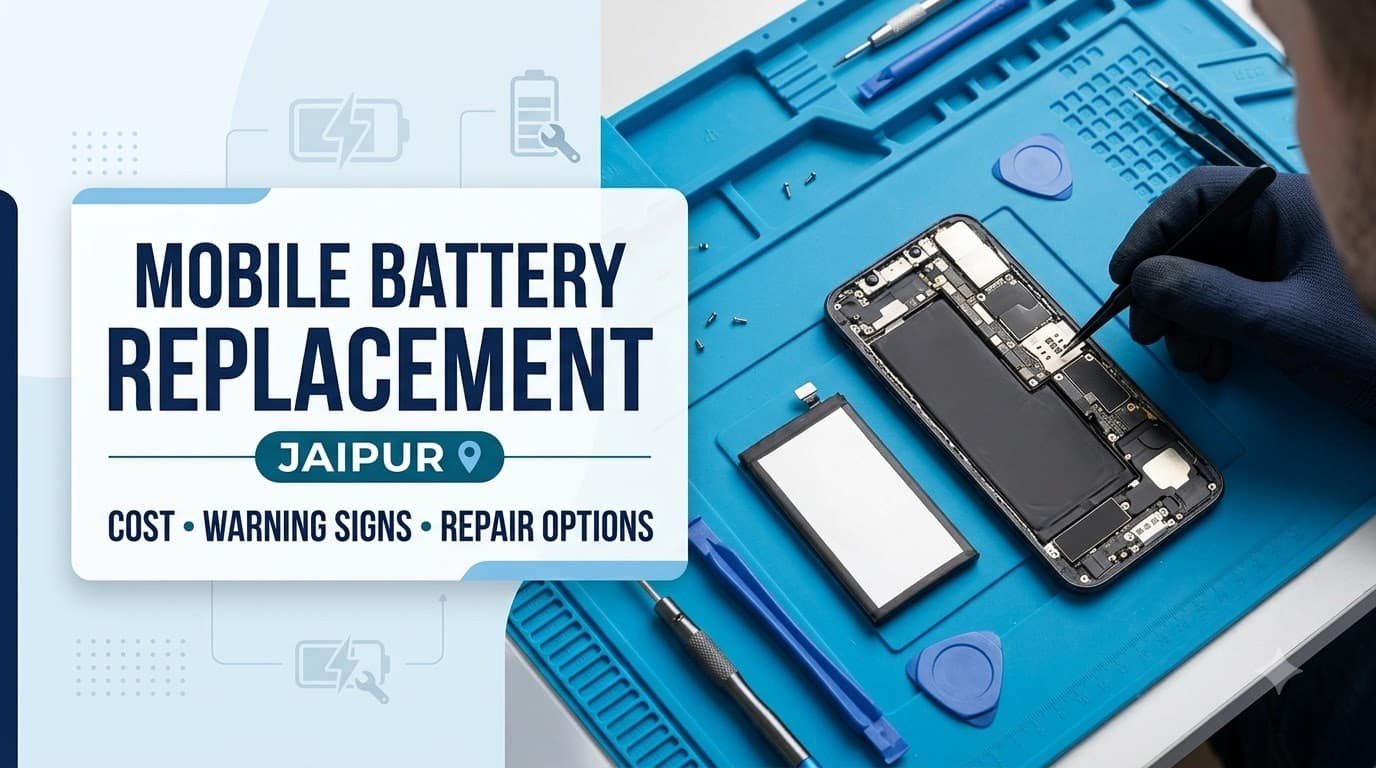
A smartphone battery plays a crucial role in the performance and reliability of your device. If your phone starts losing charge quickly, switches off unexpectedly, heats up during normal use, or takes longer than usual to charge, its battery may be deteriorating. However, these symptoms can also indicate software issues, charging problems, or faults in other internal components.
Choosing the right mobile battery replacement in Jaipur begins with understanding the cause of the problem, checking the condition of the existing battery, and comparing suitable repair options. Whether you use a Samsung, Xiaomi, Redmi, Vivo, Oppo, OnePlus, Google Pixel, or Apple iPhone, the correct solution depends on your phone model, battery condition, component availability, and repair requirements.
Replacing an aging battery can help restore dependable everyday use when the rest of the phone is in good condition. This guide explains the warning signs of battery failure, factors affecting replacement costs, differences between original and third-party batteries, and how to choose a reliable repair provider in Jaipur.
When Does Your Mobile Phone Need a Battery Replacement?
Smartphone batteries gradually lose their ability to store and deliver energy. This process is normal for rechargeable lithium-ion batteries, but the rate of deterioration depends on usage, charging patterns, temperature, and battery quality.
Recognising the early signs of a damaged phone battery can help you decide whether professional diagnosis or replacement is necessary.
Battery Drains Faster Than Usual
One of the most common reasons people seek a smartphone battery replacement is unusually rapid battery drain.
For example, a phone that previously lasted most of the day may begin requiring several charges even when your usage remains similar. Battery percentage may also fall rapidly during video playback, navigation, gaming, or other demanding activities.
As batteries age, their available capacity decreases. This means the battery stores less energy than it did when the device was new.
However, phone battery draining fast does not always mean the battery needs replacement. Background applications, poor mobile network coverage, high screen brightness, location services, and recent software updates can increase power consumption.
Before replacing the battery, review your phone’s battery usage settings and identify applications consuming unusually high amounts of energy. If the problem persists despite reasonable adjustments, a technician can check the battery and charging system.
Phone Shuts Down Unexpectedly
Unexpected shutdowns are another possible indication of battery deterioration.
An aging battery may struggle to supply sufficient power when the phone performs demanding tasks. The device might switch off even when the displayed battery percentage suggests that some charge remains.
You may notice this problem more frequently in cold conditions, during gaming, while recording video, or when opening resource-intensive applications.
Battery deterioration is one possible explanation, but other faults can produce similar symptoms. Problems involving the power management circuit, motherboard, operating system, or battery connection may also cause unexpected shutdowns.
A professional inspection can help determine whether mobile battery repair in Jaipur is appropriate or whether another component needs attention.
Slow Charging or Charging Problems
If your phone takes considerably longer to charge than usual, the battery may be ageing, but several other causes should be considered first.
A damaged charging cable, incompatible adapter, obstructed charging port, faulty connector, or software issue can interfere with charging. Excessive device temperature may also cause a phone to reduce charging speed automatically.
Check your charging accessories and inspect the charging port for visible damage. Avoid inserting metal objects or applying liquids to clean the connector.
If the phone continues charging slowly with compatible accessories, arrange a diagnostic check. A technician can assess the battery, charging port, and relevant internal components before recommending a replacement.
Battery Swelling or Physical Damage
A swollen phone battery requires immediate attention because it may create a fire or chemical hazard.
Common warning signs include:
-
The screen lifting away from the phone’s frame.
-
The back cover separating or becoming visibly raised.
-
Unusual bulging or deformation of the device.
-
A phone that no longer sits flat because its casing has changed shape.
If you suspect battery swelling, stop using and charging the phone. Do not press the screen or back cover into place, puncture the battery, open the device, or attempt to remove the battery yourself.
Keep the device away from heat and combustible materials, provided it is safe to move, and seek guidance from a qualified repair professional. If the device is smoking, hissing, or becoming dangerously hot, keep your distance and contact the appropriate emergency service.
A swollen battery should not be treated as an ordinary battery replacement task. Safe handling and proper disposal are essential.
Battery Health Has Significantly Declined
Many smartphones provide information that helps users assess battery condition.
On supported iPhones, Battery Health settings can show maximum capacity and other battery-related information. Android devices vary: some Samsung phones provide diagnostics through Samsung Members, while certain other manufacturers offer battery information in device settings or their support applications.
Battery health reporting is not identical across brands, and some Android models do not display a precise capacity percentage.
A declining battery-health reading can indicate reduced energy storage, but a single percentage should not determine every replacement decision. Actual battery life, unexpected shutdowns, device age, and manufacturer recommendations should also be considered.
Understanding smartphone battery health helps you identify when professional assessment may be worthwhile and when replacing the battery is likely to improve everyday reliability.
Mobile Battery Replacement Cost in Jaipur
The mobile battery replacement cost in Jaipur varies according to the phone model, battery specifications, component availability, labour requirements, and repair provider.
There is no single price that applies to every smartphone. A battery for an entry-level Redmi phone may have different sourcing and installation costs from a premium Samsung Galaxy, OnePlus flagship, Google Pixel, or newer iPhone.
Before choosing a repair option, request a model-specific estimate rather than relying on a general price advertised for an entire brand.
Android Phone Battery Replacement Cost
The cost of an Android phone battery replacement depends largely on the device’s design and the type of replacement component required.
Entry-level and older Android phones may use more readily available batteries, making suitable replacements easier to source. However, availability depends on the exact model and its age.
Mid-range smartphones can involve different costs because of their battery capacity, internal construction, and replacement-part availability. Premium devices may require more complex disassembly or additional procedures to reinstall adhesives and seals correctly.
For example, a Samsung Galaxy device with a tightly sealed back panel may require a different repair process from an older Redmi model with a simpler construction. A OnePlus or Google Pixel phone may also have model-specific battery requirements.
When comparing phone battery replacement Jaipur options, ask whether the estimate includes the battery, labour, applicable taxes, and any additional components required during reassembly.
iPhone Battery Replacement Cost
The iPhone battery replacement cost depends on the iPhone generation, the applicable manufacturer service policy, parts availability, and the chosen repair provider.
Different iPhone models have different battery designs and internal layouts. Consequently, the cost and complexity of replacing a battery can vary considerably.
Apple provides official service information and repair estimates through its support resources. Checking the applicable information for your specific model is a useful starting point before comparing independent repair options.
If you consider an independent provider, confirm the battery’s source, the repair procedure, the warranty terms, and whether any parts or service messages may appear after installation.
Do not assume that all iPhone batteries or replacement services cost the same. A written, model-specific estimate provides a more reliable basis for comparison.
How to Get an Accurate Repair Estimate
Before authorising a battery replacement, share your exact phone model with the repair provider. The model name alone may not always be sufficient, particularly when a product has multiple regional or hardware variants.
Ask for an itemised estimate that explains:
-
The battery price and labour charges.
-
The type, source, and compatibility of the replacement battery.
-
The expected repair turnaround time.
-
The warranty period and what it covers.
-
Any additional charges if another fault is discovered.
-
Whether adhesives, seals, or other components need replacement.
These details make it easier to compare repair options fairly and reduce the likelihood of unexpected charges.
Original vs Third-Party Mobile Batteries
Choosing the correct replacement battery is just as important as selecting a suitable repair provider. Both manufacturer-supplied components and compatible third-party batteries may be available, depending on the phone model and local parts supply.
A battery advertised as original should not automatically be considered genuine. Its source and traceability matter, particularly when the price is substantially lower than comparable offers.
Original mobile battery replacement through an authorised service channel may provide clearer parts sourcing and access to manufacturer-approved procedures. Availability and eligibility depend on the device and applicable service policies.
A reputable third-party battery may also be an option if it is specifically compatible with the phone and meets relevant safety and quality requirements. However, quality varies between manufacturers and suppliers.
When evaluating a replacement battery, consider the following factors:
-
Compatibility: The battery must match the phone’s exact model and electrical requirements.
-
Quality and safety: Look for a traceable supplier and credible evidence of compliance with applicable requirements.
-
Battery performance: A suitable replacement should provide reliable operation under normal usage conditions.
-
Battery reporting: Some devices may have specific requirements for displaying battery information or recognising replacement components.
-
Warranty: Confirm whether the battery and installation are covered, and understand any exclusions.
-
Overall cost: Compare the complete repair price rather than choosing solely on the lowest advertised battery price.
Avoid batteries with unclear origins, visible damage, inconsistent labelling, or suspiciously low prices. A reliable repair provider should explain the available options without making unsupported claims about battery authenticity or performance.
Where to Get Mobile Battery Replacement in Jaipur
Jaipur residents can generally consider manufacturer-authorised service channels or independent mobile repair shops. The most suitable option depends on the device, repair budget, warranty status, and availability of the required battery.
Manufacturer-Authorised Service Centres
An authorised service centre may be appropriate when manufacturer-approved parts, official repair procedures, or warranty considerations are priorities.
These providers may have access to manufacturer-specific diagnostic procedures and repair documentation. However, service availability, pricing, turnaround time, and parts supply vary by brand, model, and location.
Before visiting a centre, check the manufacturer’s official support website for service options in Jaipur. Confirm whether the particular location handles your device and whether an appointment is required.
If your phone remains under warranty or a service plan, check its terms before choosing an independent repair. Unauthorised repairs may affect certain forms of coverage, depending on the manufacturer’s policy and the circumstances.
Independent Mobile Repair Shops
An experienced independent technician may offer additional repair choices and competitive pricing for supported devices.
This option can be useful when an older phone is no longer covered by a manufacturer service plan or when you want to compare battery options. However, the quality of service depends on the technician’s experience, component sourcing, diagnostic process, and repair practices.
Before handing over your device, ask whether the technician has experience with your exact model and whether the battery is sourced from a traceable supplier.
A dependable mobile repair shop in Jaipur should explain the repair process, provide a clear estimate, and communicate warranty conditions before work begins.
How to Find a Reliable Mobile Repair Provider Near You
When searching for mobile battery replacement near me, avoid choosing a provider based only on distance or the lowest quoted price.
Use the following checklist to evaluate your options:
-
Check model-specific experience. Ask whether the technician regularly works with your Samsung, Redmi, Vivo, Oppo, OnePlus, Pixel, or iPhone model.
-
Request a written estimate. Confirm the total cost before authorising the repair.
-
Verify battery sourcing. Ask whether the replacement is manufacturer-supplied or third-party and how its compatibility can be established.
-
Understand the warranty. Check its duration, coverage, and exclusions in writing.
-
Confirm turnaround time. Ask whether the battery is available and how long the complete repair is expected to take.
-
Discuss water resistance. Ask whether opening the device may affect its seals and what reassembly measures will be used.
-
Review credible feedback. Look for consistent customer comments about communication, repair quality, and after-service support.
-
Clarify data privacy. Ask whether the repair requires access to your device or personal information.
These checks are particularly useful when comparing repair providers around Ganpati Plaza, M.I. Road, Sodala, and other parts of Jaipur. Confirm the current address, services, and availability directly rather than assuming that every nearby listing handles your particular phone.
Android vs iPhone Battery Replacement
Although the basic objective is the same, battery replacement procedures can differ significantly between Android smartphones and iPhones.
Many modern devices use strong adhesives and tightly fitted components. Opening them without suitable tools or experience can damage the display, back panel, battery, or internal connectors.
Samsung, Xiaomi, Redmi, Vivo, Oppo, OnePlus, and Google Pixel phones each have model-specific designs. Even within one brand, the replacement process can vary between older and newer devices.
iPhones also differ by generation in their internal layout, battery attachment, and service procedures. Some models may require specific diagnostics, configuration, or component verification after installation.
Battery health reporting can also change after replacement. Depending on the device, users may see battery information through the operating system, manufacturer diagnostic tools, or supported repair procedures. Not every model provides identical information, and replacement batteries may not always be recognised in the same way.
For both platforms, choose a technician who understands the exact device design and follows appropriate battery-handling procedures. Correct installation, secure connectors, and suitable reassembly are essential for reliable operation.
How Long Does Mobile Battery Replacement Take?
The time required for smartphone battery replacement depends on parts availability, device construction, technician workload, and whether other faults are discovered.
A phone with a readily available battery and straightforward access may require less repair time than a sealed device that needs careful disassembly and reassembly. Some models also require additional testing after installation.
It is important to distinguish between the time spent physically replacing the battery and the total service turnaround time. A repair that takes a relatively short period to perform may still require a longer wait if the battery must be ordered or the device needs further diagnosis.
When contacting a repair provider in Jaipur, ask whether the correct battery is in stock and request an estimated completion time. Confirm whether the estimate includes inspection, installation, testing, and any necessary reassembly.
Avoid relying on guaranteed same-day service unless the provider has confirmed that the relevant battery and repair facilities are available.
What to Do Before Replacing Your Phone Battery
Preparing your smartphone before repair can help protect your information and make the process more straightforward.
Start by backing up important photos, contacts, documents, and other files to a suitable cloud service or computer. A battery replacement should not normally require erasing your personal data, but maintaining a backup protects against unexpected problems.
Next, note the exact phone model and check whether the device remains covered by a warranty or service plan. Share any relevant symptoms with the technician, including rapid battery drain, overheating, charging interruptions, or unexpected shutdowns.
Before handing over the phone:
-
Request a written repair estimate and warranty details.
-
Ask how your personal data and device privacy will be protected.
-
Confirm whether unlocking the phone is necessary for testing.
-
Remove sensitive information where practical and supported.
-
Ask whether opening the device could affect its water resistance.
-
Confirm the expected completion time and collection arrangements.
Do not disclose passwords unnecessarily. If a diagnostic procedure requires device access, ask why it is needed and whether an alternative is available.
If the battery is swollen or the phone is dangerously hot, prioritise safety over backing up your data. Do not continue using or charging the device simply to finish a backup.
How to Make Your New Mobile Battery Last Longer
A replacement battery will naturally lose capacity over time, but sensible usage habits can help reduce unnecessary wear.
Avoid excessive heat. High temperatures can accelerate battery ageing. Do not leave your phone in direct sunlight, on a hot dashboard, or near other heat sources for extended periods.
Use compatible charging accessories. Choose reputable chargers and cables that meet your phone’s requirements. Poor-quality or incompatible accessories may cause charging problems and introduce avoidable risks.
Monitor background applications. Check battery usage settings to identify apps that consume unusually high amounts of power. Adjust background activity or location permissions when appropriate.
Keep software updated. Official updates may include battery management improvements and fixes for applications that use excessive power. Install updates from trusted sources.
Use optimised charging features. Many phones provide charging controls designed to reduce the time spent at a high charge level. Enable these features when they suit your usage habits.
Avoid extreme temperatures and unnecessary deep discharges. Lithium-ion batteries do not benefit from repeated complete discharges. Charge according to your normal needs rather than deliberately running the battery to zero.
Monitor performance after replacement. Pay attention to charging behaviour, unusual heating, and unexpected shutdowns. If a new battery shows persistent problems, contact the repair provider rather than attempting an internal repair yourself.
These habits can help maintain battery performance, but they cannot prevent natural chemical ageing entirely.
Battery Replacement or Buying a New Phone: Which Is Better?
Deciding whether to replace a battery or buy a new smartphone requires considering more than the battery repair price.
If your phone works smoothly, receives security updates, has sufficient storage, and has no major hardware faults, battery replacement may be a practical way to extend its useful life.
The decision becomes less straightforward when the device has multiple problems. A phone that needs a battery, display, charging port, and motherboard repair may require a much larger investment than initially expected.
Consider these factors before deciding:
-
Repair cost: Compare the complete battery replacement estimate with the cost of a suitable replacement phone.
-
Overall condition: Check for display damage, charging problems, camera faults, and other hardware issues.
-
Software support: Consider whether the manufacturer continues providing essential operating system and security updates.
-
Expected remaining lifespan: Assess whether the device can meet your needs for another reasonable period.
-
Performance and storage: Determine whether the phone still handles your daily applications comfortably.
-
Other repair requirements: Include any additional faults that may increase the total cost.
For example, replacing the battery in a well-maintained phone may be more sensible than buying a new device simply because its battery no longer lasts all day. On the other hand, investing in an older phone with several expensive faults may not provide good long-term value.
Request a diagnosis and compare the estimated repair cost with the price of a suitable replacement before making your decision.
Conclusion
A deteriorating smartphone battery can affect charging, daily usage, and the overall reliability of your device. Recognising warning signs such as rapid battery drain, unexpected shutdowns, declining battery health, and physical swelling can help you decide when to seek professional assistance.
When considering mobile battery replacement in Jaipur, focus on accurate diagnosis, model-specific pricing, suitable replacement parts, clear warranty terms, and the technician’s experience with your device. Compare manufacturer-authorised services and independent repair providers according to your requirements rather than choosing on price alone.
For a swollen battery, stop using and charging the device and seek qualified assistance instead of attempting a DIY repair.
Galaxmial shares practical mobile technology and troubleshooting guidance to help smartphone users make informed decisions about device maintenance and repair. By checking the cause of your battery problems and comparing reliable repair options, you can decide whether battery replacement is the right way to extend your phone’s useful life.
Battery Replacement Service
Android VS IPhone repair
Introduction A damaged screen, a battery that drains too quickly, a faulty charging port,…
Read More
Mobile Repairing Shop
Introduction A smartphone that restarts unexpectedly can interrupt important calls, close applications, disrupt online…
Read More